Tagging is an easy method of categorising or labelling your Zotero items by adding keywords. These tags allow you to filter your items in a variety of ways through the Tag Selector in the bottom left-hand corner of Zotero.
A good way of identifying and easily locating your most important tags is to colour-code them. For instance, I have an orange tbr tag, which means ’to be read’ and a green borrow tag for books I need to retrieve from the library.
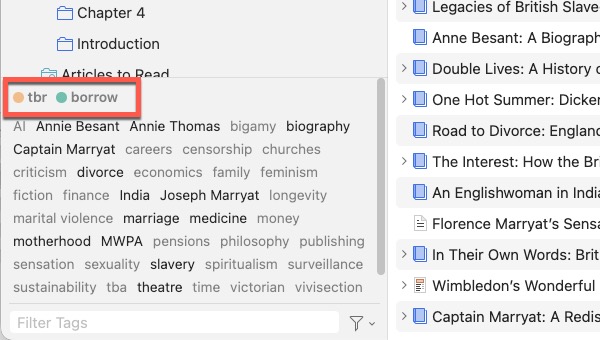
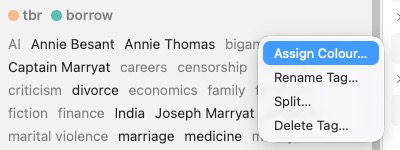
To colour-code a tag, right-click it in the Tag Selector and choose Assign Colour.
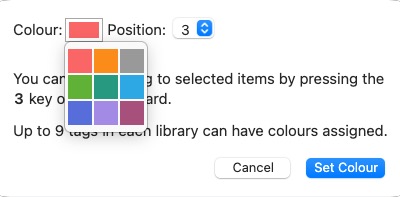
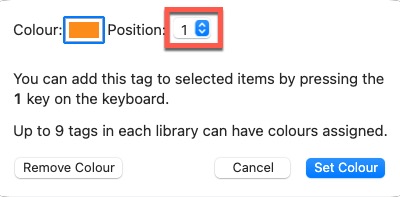
Pick a colour from the swatch and click Set Colour. You can do this for up to nine tags.
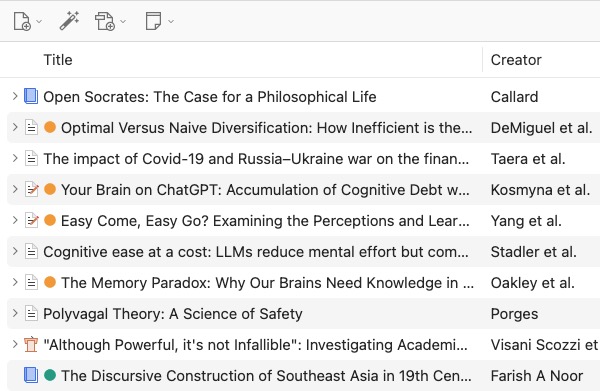
Any items with coloured tags assigned to them are flagged with a matching blob in the middle column. It’s then easy to see at a glance what items I need to borrow or read.
In the colour-coding settings, you can see that my tbr tag has also been assigned a numerical keyboard shortcut of 1. This means I can assign this tag to another item by selecting it and pressing 1. To remove it, just click 1 again. This a great time-saver for tags you use most frequently.
There’s no right way to use these colours. You could also use them to visually flag different themes, or to indicate the importance of a source. Tags are helpful for applying the Bacon Method that I explained in an earlier post. It’s a shame there are only nine colours available, but at least that prevents us from creating overly complicated systems rather than getting on with our writing 😳