Although I find generative AI useful for some tasks, I’ve become increasingly concerned about what happens to the conversations. Most chatbots claim not to use our data for training purposes, but they’re owned by the same tech firms that gobbled up copyrighted material like Pacman on amphetamines.
Pleasingly, it’s now much easier to run a chatbot locally. Everything stays on your computer and isn’t stored in the cloud or used to train an LLM. Many of the big names - such as Claude, ChatGPT, and Gemini - offer free versions that you can download and use offline. Then you just need a way of interacting with them.
Jan is a free open-source alternative to commercial chatbots. Through its friendly interface, you can either use LLMs locally or connect to cloud versions. Jan comes with its own default model, so you don’t even need to decide on which one to use. It takes a couple of minutes to install, then you have your own private chatbot.1
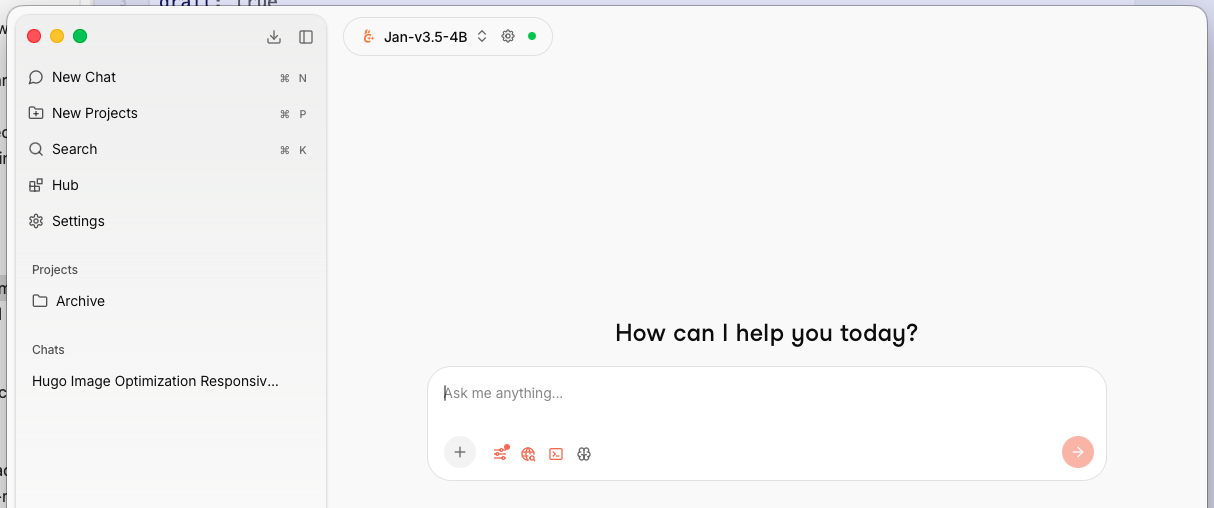
Getting started with Jan
I used the default Jan model for some simple queries, such as debugging code, understanding a concept, and identifying flaws in my thinking.
I found the quality comparable to the likes of Claude and Gemini. A big difference is the tone. Whereas Claude can be sycophantic, telling you “Great job!” when you’ve just proposed a really shit idea, Jan is more likely to respond with, “You really haven’t thought this through properly, have you?” While that’s often a fair point, it takes some getting used to. On the other hand, it feels healthier when a chatbot isn’t pretending to be my pal.
You also get control over how your query is handled. For example, in the settings, you can adjust the temperature of the results: the higher the temperature, the more likely you’ll get hallucinations or random responses. For more creative tasks, a high temperature could be useful; for debugging code, you probably just want a sober factual answer.
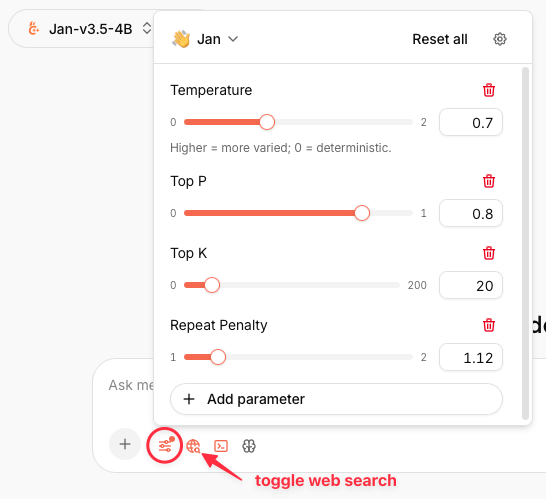
And you can toggle web search. Sometimes, it’s helpful for a chatbot to find webpages, other times, you want to limit the scope and aren’t interested in a range of opinions.
As with any chatbot, some of the responses were incorrect or highly speculative. I have no idea whether LLMs are told to avoid looking things up, or if they’re fundamentally lazy like most of us. I suspect there’s a “can’t be arsed” mode.
Downloading different models
I also tried Jan with some open-source models, such as Google’s gemma. This was excellent for researching more complex technical ideas.
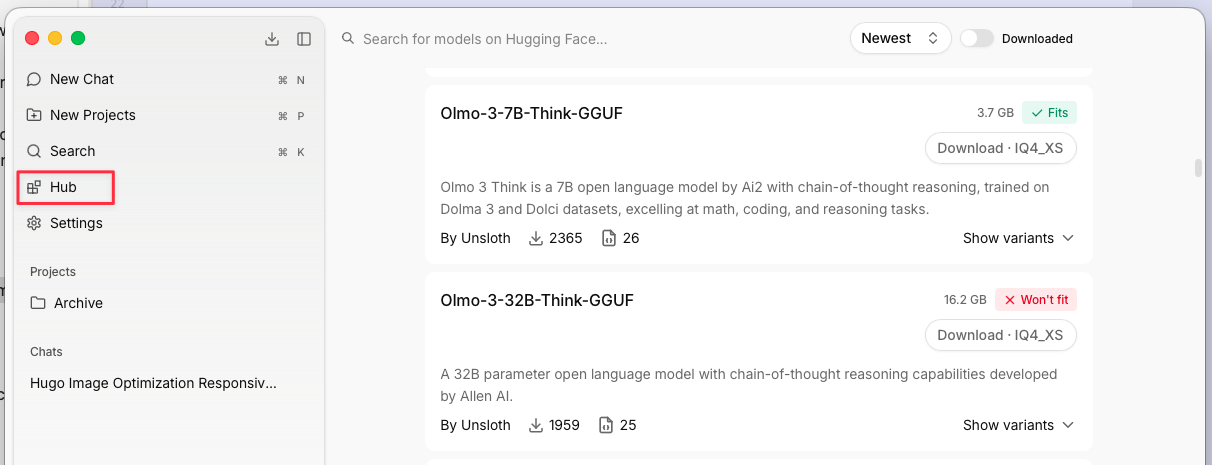
Through the Jan Hub, you can browse and download dozens of models. This means you could use Jan to switch between a range of different LLMs from a range of providers, choosing one that best suits your task. However, some of these Large Language Models are, well, LARGE. You’ll see in the screenshot below that some of the options say “Fits”, others say “Won’t fit”. The most powerful models might be 20Gb, or more. You might find yourself regularly deleting and reinstalling models to manage the space problem.
Another problem is speed. Unlike with commercial chatbots, you’re using your own hardware. Unless you have a really beefy computer, your queries will be processed much, much slower. As the tech companies have bought up all the fast chips, a memory upgrade or GPU is out of reach for many of us.
Although I found the speed tolerable for general queries, it was unbearably slow if I asked Jan to process an uploaded document. Also, there’s a small context window (the amount of data the query can handle), which means you often have to start a new conversation for follow-up queries.
Notwithstanding those limitations, Jan has been useful for quick queries. While there are undeniable compromises, it’s reassuring to know that nothing leaves my computer.
Connecting a cloud provider
If you need more power, you can connect Jan to cloud-based providers, such as OpenAI or Anthropic. Of course, you’re then sharing your data with those companies. The advantage of using Jan in this way is that you have a single interface for multiple models, regardless of whether they’re local or cloud-based. Your conversation history is in one place, but you can keep some of it private. For instance, OpenAI only sees the data you submit through its models, not all your other conversations.
I tried this feature with Anthropic, which gave me access to its various models. For this to work, you need to:
- Create an account with Anthropic.
- Add some funds to your account (the minimum is $5 + VAT).
- Generate an API key (which Jan uses to authenticate you with Anthropic).
The process will be similar for other providers.
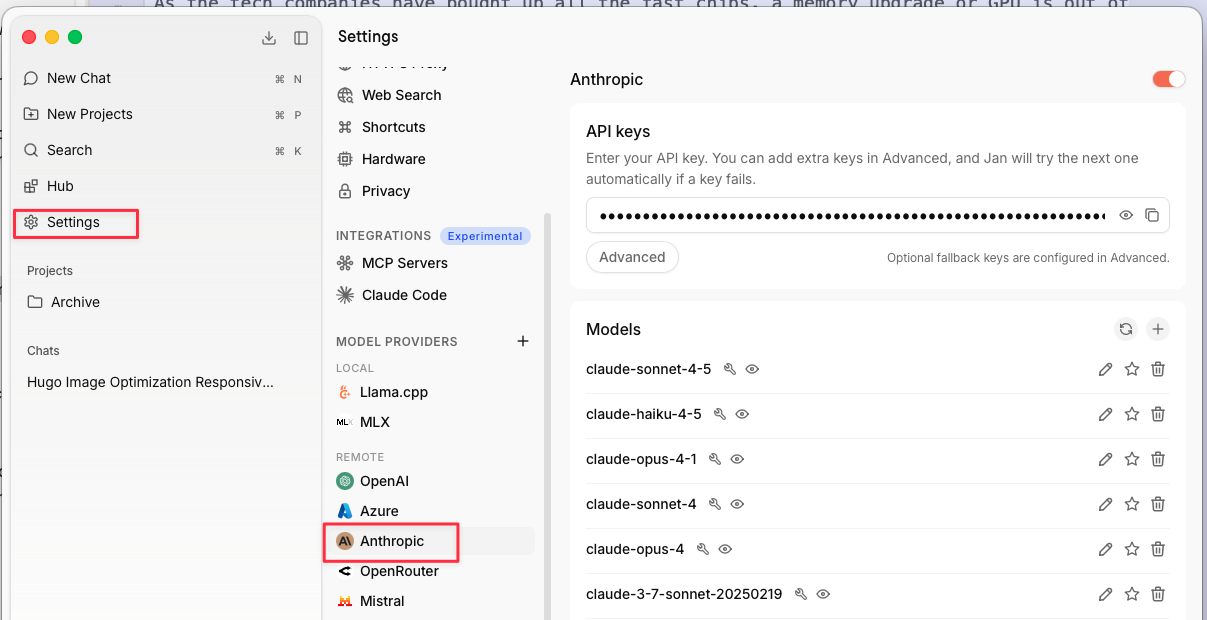
Once you’ve added that API key to Jan, you can choose from the Anthropic models, in addition to any you’ve already downloaded. This time, though, you’re using the model in the cloud. It’s a lot faster and more powerful, but your data from that conversation is shared with Anthropic.
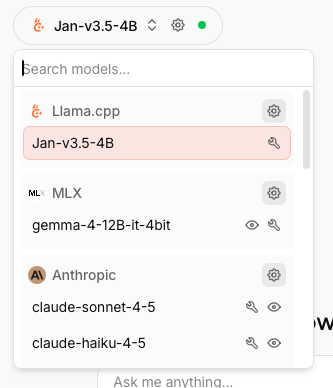
As I’m now a sporadic user of Claude, this setup is perfect for me. When I need Claude - usually for a coding task - I can select it from the list in Jan. Other times, I can run a local query or use a different provider. I only pay for what I use, rather than ponying up a monthly subscription to multiple companies. To give you an idea of costs, uploading and summarising a PDF journal article cost $0.02.
What else can you do with Jan?
I’m currently only using Jan in a basic way. There’s lots more to try, if you’re feeling intrepid. For example, you can create an agent that lives in your terminal and performs tasks. I’m not yet comfortable with agents, but it’s something I’ll try when I get more time. I don’t like experimenting with powerful features in a hurry. It’s really easy to create a lot of problems you then have to fix.
You can also build custom Assistants for recurring tasks. This is essentially a reusable prompt that saves you retyping a lot of context each time. You can create projects and assign them each their own assistant. That way, you’re not starting afresh each time you want to return to a previous query. The assistant has both clear instructions and access to your earlier conversation - but for that specific project.
Oh, and Jan supports the Model Context Protocol (MCP), which means you can connect external files and tools, such as databases and web browsers.
In short, it’s powerful and flexible.
Conclusion
Jan doesn’t solve all the problems with generative AI, but it certainly gives users a lot more control. Through one simple interface, I can choose exactly the tools I want to use and also decide how much data to share. I’m now using AI much more intentionally and cheaply.
We discuss Jan and other alternatives in my workshop Using AI Responsibly in Your Research and Writing.
I’ve tested it with Little Snitch, so I know that everything stays on my computer. ↩︎