As researchers, we usually have far too much going on in our heads. What should I be working on today? Where did I get to with that paper? What shall I have for lunch? 🤯 Although writing it all down definitely helps, some of us need a more visual system. In my workshops, we often have a good rant about terrible software. But there’s one app that’s almost universally loved: Trello.
Trello is a web-based Kanban-style app. A kanban board is a visual management tool that help you track your work as you progress through the stages of a process. Typically, you might create columns called “To Do”, “Doing”, and “Done”. Some sectors refer to the “To Do” column as the “Backlog” and also include a “Review” stage:
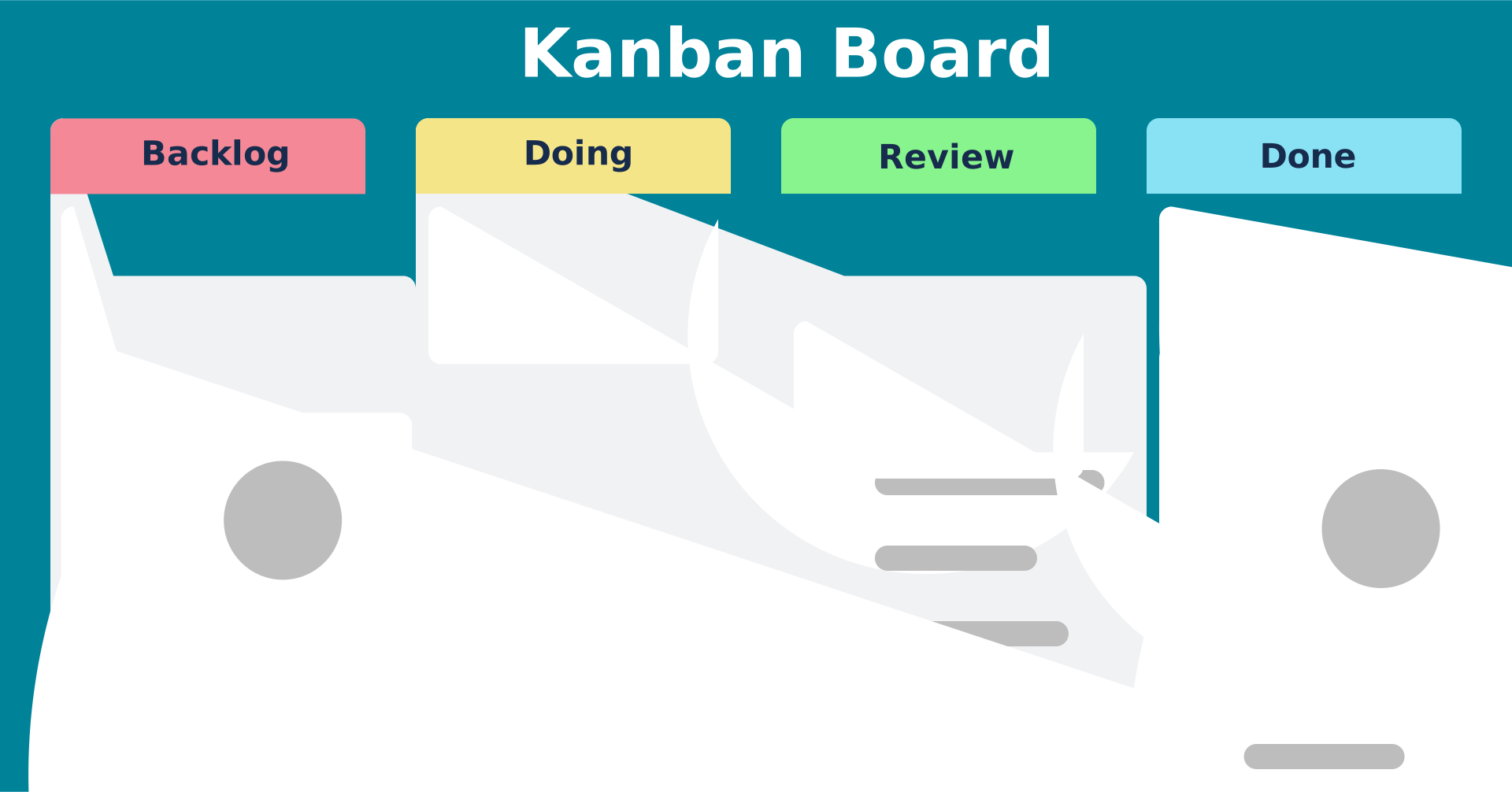
By Jennifer Falco - Own work, CC BY 4.0, https://commons.wikimedia.org/w/index.php?curid=132117320
Each card represents an individual task or element of work that’s been clearly defined.
The Kanban approach works well in production environments, such as factories and software companies. In this post, I’ll share some ideas on how you can use Trello for academic research. I’m assuming you already know the Trello basics.
Experimenting 🧪
Few of us start out with a clear idea of what we’re doing. But often we put too much pressure on ourselves to come up with a Great Idea immediately. If you’re embarking upon a big writing project like a book or a thesis, it’s helpful to experiment with different approaches before you commit yourself.
In Trello, you can create a column for each chapter, then a card for each section, idea, or element within that chapter. If chapters feel aspirational right now, start with themes and sub themes. Depending on the nature of your research, you could use images on your cards. They might be artworks, objects, or diagrams.
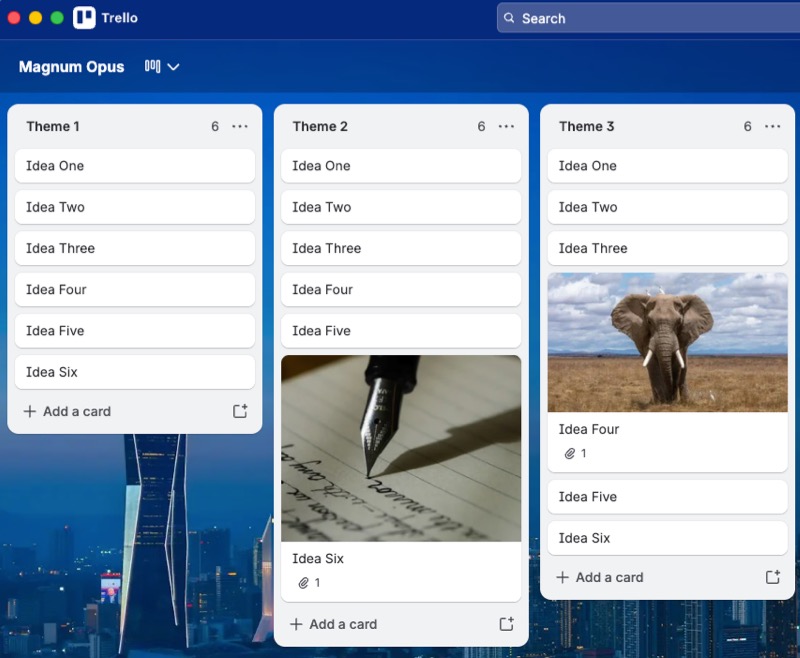
Once you’ve got all your ideas on the board, you can drag the cards between columns to get a sense of potential structures. To compare structures, you could either duplicate your board (you can have up to 10 boards in the free plan), or take screenshots.
Planning 🗓️
Although it’s tempting to launch straight into our research or writing, creating a plan provides crucial structure and exposes problems earlier on. As I explained in another post, it’s important to spend some time wearing our project management hat. In Trello, you can set due dates, add attachments, and create checklists — all of which make it easier to monitor progress.
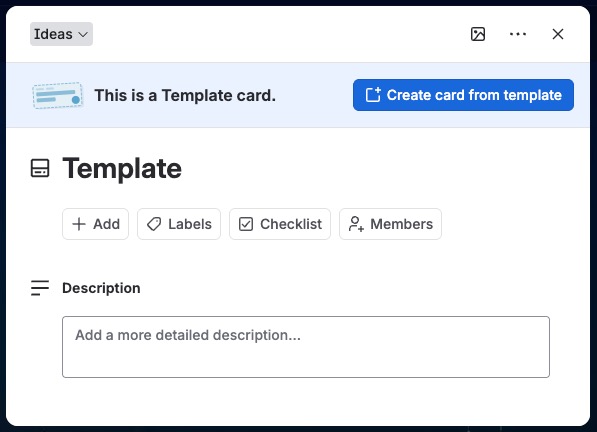
For a writing project, you could extend your initial experimental Trello board into a detailed plan. Each card contains a due date for that section, a description of what you’ll cover, and then a checklist of all the steps. You can create templates for quickly copying any standard formats.
I used Trello for organising my literature review. Each column was a theme or section, then each card was a source.
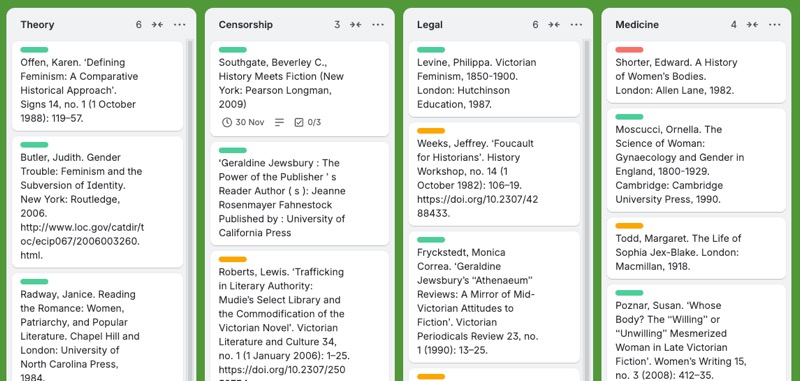
I attached articles to the card and set due dates by which I hoped to read them (I was very good at ignoring those). The colour-coded labels denoted whether it was a key source, a secondary source, or background information.
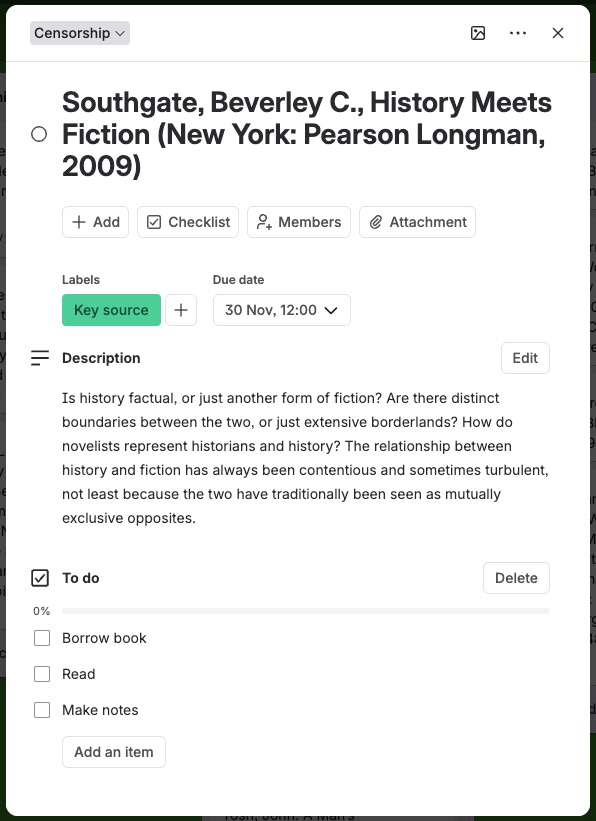
This approach might be unwieldy if you have a lot of sources, but could still be helpful for getting you started. For recursive literature reviews, you could use a Trello board for each chapter.
Everything I’ve described so far is available in the free version of Trello. If you choose one of their paid subscriptions, you’ll get extra features, such as custom fields and Gantt charts.
I currently pay for Trello Premium, as it enables a consolidated view where I can see multiple boards simultaneously. That way, it’s easier for me to schedule the due dates for the cards across several projects and not end up with too much happening on one day. I can also see those deadlines on a calendar and set both start and end dates for my tasks. This might be helpful for you if you’ve taken on too many writing projects. Imagine that!
Mapping 🧭
Trello is also helpful retrospectively. In a previous post, I recommended using sticky notes to map out your completed book or thesis. Although there are benefits to this analogue approach, not everyone’s got the space. And decent sticky notes are quite spendy these days.
With a Trello map, you can try out different structures without messing up your manuscript. It’s also much easier to see how the chapters work together.
I reckon Trello would also work well for viva preparation. You could create columns for the question type, e.g. methodology, theoretical approach, research design, then a card for each potential question. With colour-coding, you could flag the difficulty of the question. Red could denote a tricky question that you’re hoping won’t come up. Of course, that’s exactly the question you need to practice answering.
💡If you already have a list of questions (like this one), you can copy and paste it into a Trello card. Then you’ll be asked whether you want to create a separate card for each line.
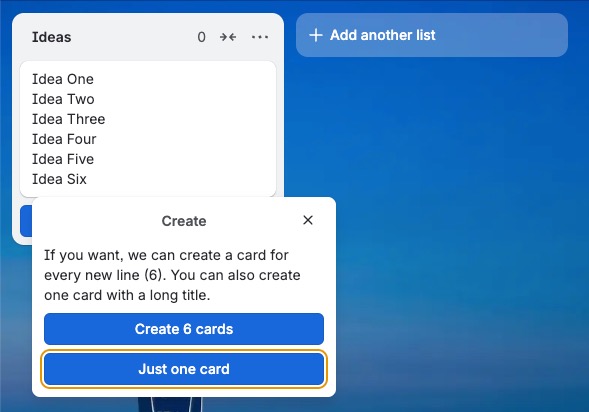
There are also some third-party power-ups for importing different types of data, such as CSV files, into Trello. I used Blue Cat, which worked perfectly. Given the cost of Trello Premium, I don’t understand why these features aren’t standard. More grumbles in a moment.
Alternatives to Trello
Trello is incredibly versatile and a real boon for visual thinkers. Although I use it most days, I do have a few grumbles:
- There’s no offline mode — as a catastrophist, this makes me nervous.
- It’s not easy to back up your boards without paying for an expensive third-party power-up.
- The costs can escalate — you can guarantee that the one feature you really need is only available in the next tier. Then you also end up paying for a lot of pointless AI gunk.
Other apps such as Obsidian and Notion offer Kanban-style features, but I don’t find any of them as good as Trello.
One strong alternative is Brisqi. Although it lacks many of Trello’s fancier planning features, it works offline, doesn’t store your data, and costs just $29.99 for lifetime access.
Whatever tool you use, visual planning might just make that project easier.